


A local business website must do more than look professional: it needs to show services clearly, work on mobile phones, earn trust and turn visits into calls, messages, bookings or enquiries. You will be able to compare website options, identify the skills worth learning and plan a practical site for customers in Pune.
Key takeaways
- Use HTML to organise services, contact details and enquiry forms.
- Use CSS to make key actions clear on phone screens.
- Use JavaScript for validation, menus and immediate form feedback.
- Choose tools based on your budget, skills and maintenance time.
How HTML, CSS and JavaScript Turn a Website Visit into an Enquiry
An enquiry begins with a visitor finding the right service and understanding what to do next. HTML, CSS and JavaScript for small businesses in Pune divide that job into structure, presentation and interaction.
| Technology | Business job | Result |
|---|---|---|
| HTML | Publishes crawlable headings, service descriptions, product details, address, phone number, opening hours and enquiry forms | Visitors and search engines can discover a salon, tuition class, restaurant, repair service or consultant |
| CSS | Creates readable pages, responsive layouts, clear buttons, pricing cards and product galleries | Mobile visitors can compare options and reach “Call”, “Book” or “Buy” without pinching or hunting |
| JavaScript | Adds mobile menus, form validation, appointment slots, quote calculators, product filters and instant feedback | Visitors complete an enquiry, narrow a product choice or request a suitable service faster |
A boutique can use HTML for product names and sizes, CSS for a clean catalogue, and JavaScript for filtering by colour or price. A repair business can show service categories, calculate an estimated quote and send the visitor to a contact form.
JavaScript does not create secure accounts, payment processing or permanent bookings by itself. Connect those functions to server-side code, a booking system, payment provider or controlled database. Keep business facts in HTML, because excessive scripts can slow a mobile page and hide important information from search engines.
Use LocalBusiness structured data only for information genuinely shown on the page; it can qualify a result for enhanced search features, but it does not guarantee higher rankings.
How to Make a Pune Business Website Useful on Phones and Trustworthy
A mobile visitor should see your business name, main service, location and contact button without pinching or hunting. Test the site at narrow and wide viewport sizes: check CSS media queries, flexible layouts, readable text, responsive images and buttons large enough to tap.
A fixed desktop layout turns a useful Pune business website into a frustrating one.
1. Open every page on Android and iPhone-sized screens. Test the menu, phone link, map, enquiry form, booking flow, filters and any JavaScript calculator. Submit a real test enquiry and confirm it reaches the correct inbox.
2. Test accessibility with only a keyboard and with a screen reader. Check visible focus, labels beside form controls, meaningful alternative text, sufficient colour contrast and logical heading order against WCAG 2.2. An accessibility plug-in alone will not repair missing labels or confusing HTML.
3. Publish crawlable HTML containing your exact business name, Pune address, phone number, opening hours, services and service areas. Add LocalBusiness structured data only when those details genuinely appear on the page; it can support enhanced search displays but does not guarantee higher rankings.
4. Publish a clear privacy notice, cancellation or booking terms, pricing or quote guidance, and a real response channel. Display customer reviews with permission and keep contact details consistent across the site and Google Business Profile.
These checks are practical website skills for small business, not optional polish. If a form fails, a number is wrong or a visitor cannot understand the offer in seconds, trust disappears before the enquiry begins.
Which Website Approach Fits Your Budget, Skills and Business Model?
Choose the simplest system that supports how you sell. A brochure site for a salon, tuition class or consultant does not need the machinery of an online store, while a boutique selling 100 products needs more than attractive pages and a contact form.
| Option | What it means | When it applies |
|---|---|---|
| Custom HTML, CSS and JavaScript | You build and host the pages yourself. | Choose it for a fast, small brochure site, landing page or service enquiry page when you can edit code and handle deployment. |
| No-code builder | You assemble pages, forms and templates through a visual editor. | Choose it for a quick launch and few technical skills, accepting platform limits, recurring fees and less control. |
| WordPress | You manage editable pages, themes and plugins through a content system. | Choose it for changing service pages, articles or multiple editors, but budget time for updates, backups and plugin security. |
| E-commerce platform | It supplies product listings, carts, payments, orders and stock tools. | Choose it for regular online sales; do not force a basic booking site into this model. |
| Professional developer | Someone designs, builds and operates a tailored system. | Choose it for accounts, staff calendars, payment workflows, integrations or security-sensitive data. |
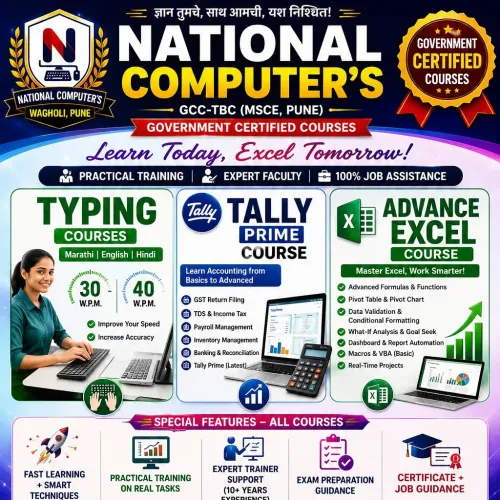
A web development course in Pune is useful only if its project covers deployment, browser testing, keyboard access, form validation, version control and maintenance—not syntax alone. National Computer, Typing, Beauty & Fashion Design can be assessed against that checklist before you enrol.
A coded site still needs domain renewal, hosting, backups, content updates and form monitoring after launch.
Related products
 | Software and Programming courses HTML, or HyperText Markup Language, is the foundational language used to structure content on the web. It’s not a programming languag. View product → |
 | Software and Programming courses HTML AND CSS PROGRAMMING LANGUAGE Better Website Speed : For a website to function efficiently, it should have a faster load time. ... View product → |
What Website Skills Should a Small-Business Owner Learn First?
Learn in this order: semantic HTML, practical CSS, basic JavaScript, then website operations. This sequence lets you update a service page, make it usable on phones, test a contact form and improve results without treating every edit as a developer emergency.
| Skill | Practise | Owner’s payoff |
|---|---|---|
| HTML | Headings, navigation, service sections, links and forms | Edit clear content and keep enquiries usable |
| CSS | Responsive grids, spacing, buttons and image sizing | Fix mobile layouts without breaking desktop |
| JavaScript | Validation, menus, filters and booking interactions | Add helpful behaviour while preserving basic HTML |
| Operations | Domains, hosting, backups, updates and form checks | Keep the live site available and leads flowing |
A sound html css javascript training project should use semantic elements such as headings, navigation, buttons and forms instead of generic containers. It should also teach progressive enhancement: build a working link or form first, then add styling and scripts. If JavaScript fails or loads slowly, visitors can still read your services and contact you.
Measure before adding visual effects. Resize images, defer noncritical scripts and remove unused code because large script bundles slow mobile pages.
Your website skills for small business also include checking form submissions, renewing the domain, applying security updates and restoring backups. Learn browser developer tools, Lighthouse, mobile testing and a simple change log. Stop at the boundary: payments, customer accounts, inventory and automated messaging need backend or specialist services.
How to Launch and Maintain the Site Without Losing Enquiries
Launch only after testing a staging copy, connecting the domain, enabling HTTPS, and confirming that every enquiry reaches a monitored inbox. A dependable site needs operations as well as code; html css javascript for small businesses in pune is useful only when the published site continues working after release.
1. Deploy through a reliable host with automatic security updates, daily backups, adequate storage, and a clear renewal date for the domain and hosting plan. Keep DNS access and backup restoration details in one secure record.
2. Protect each form with HTTPS, server-side validation, spam protection such as reCAPTCHA or a honeypot field, and rate limiting. Collect only necessary details, show a privacy notice, and test both successful and rejected submissions. Send an autoresponse, then verify delivery to the real business inbox.
3. Improve speed by resizing images, using WebP or AVIF, enabling browser caching, deferring noncritical JavaScript, and removing unused scripts. Measure mobile performance with Lighthouse; a page that looks impressive but loads slowly loses impatient visitors.
4. Preserve essential actions with ordinary HTML links and forms before adding JavaScript enhancements. Visitors should still find the phone number, address, services, and contact route when scripts fail or are blocked.
5. Schedule monthly checks for forms, phone links, maps, booking flows, backups, certificates, software dependencies, prices, hours, and staff contact details. Record each test and investigate missing enquiries immediately.
Good html css javascript training includes these deployment and maintenance habits, not only styling and interactive effects. If the site adds payments, accounts, calendars, or automated messaging, use maintained backend services and review their security settings.
Frequently asked questions
How do HTML, CSS and JavaScript help a small business website?
HTML structures services, contact details and forms; CSS controls layout and readability; JavaScript adds interactions such as menus, validation and feedback.
How can a Pune business make its website useful on phones?
Prioritise readable text, clear service information, visible contact actions and forms that work on smaller screens. Test the complete enquiry journey on a phone.
Which website approach suits a small business budget?
Compare a website builder, a custom site and outside development by upfront cost, available skills, required features and the time needed for maintenance.
What website skills should a small-business owner learn first?
Start with HTML structure, CSS layout and responsive design, then learn basic JavaScript for form validation and simple user interactions.
Related product
 | Software and Programming courses JAVASCRIPT PROGRAMMING LANGUAGE Client-Side Security. One of the biggest advantages of JavaScript is the enhanced security it offers for client-side applications. ... Less Overhead. View product → |